Want your own paint on the VW Beetle? PitCrew AI Livery paints the official iRacing template for you. Pick the car, add your logo or sponsors, describe the design in one sentence and download the paint file about a minute later.
Make a VW Beetle livery →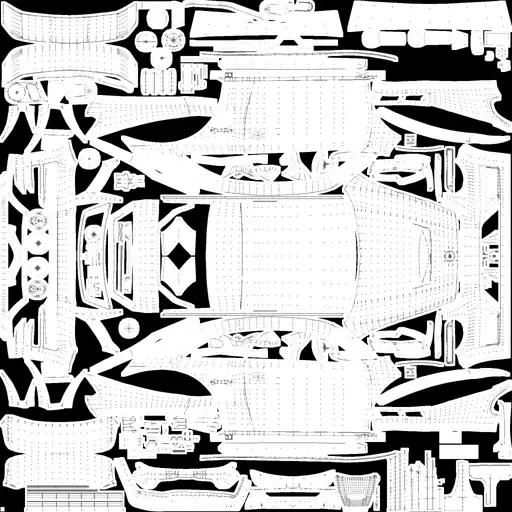
How it works
- Pick the VW Beetle in the livery tool.
- Add images: your logo, sponsors or a photo for the colours (optional).
- Describe the design, for example: “dark blue with a white stripe over the roof and the logo on the doors”.
- Download the paint file and load it with Trading Paints, or put it in your iRacing paint folder.
Designing a rallycross livery
Rallycross cars race door to door on short laps, so the sides matter most. Big blocks of colour and a clear sponsor on the doors stand out on the start grid and in replays.
New to custom paints in iRacing? Read the Trading Paints guide or how the AI livery generator works.
FAQ
Is there a VW Beetle livery template?
Yes. PitCrew AI Livery uses the official iRacing paint template for the VW Beetle, with the panels mapped so your design lands on the right part of the car.
What do I get?
A paint file in iRacing’s TGA format for this car. You load it with Trading Paints or by placing it in your iRacing paint folder.
Do I need Photoshop?
No. You describe the design in one sentence and add your logo or sponsor images; the AI paints the template for you.
What does it cost?
One livery costs 10 credits. New accounts get 25 free credits, so your first livery is free.
Your VW Beetle, your colours
25 free credits when you sign up. One livery is 10 credits. No subscription needed.
Open the livery tool
Coaching while you drive: PitCrew Overlay
Next to the AI Engineer, PitCrew Academy has a free desktop app. PitCrew Overlay reads your sim live and shows after every lap, per corner, where you lost time. With an AI session (5 credits for 2.5 hours) you get advice after every lap. No subscription: you only pay for the sessions you drive.